
Focus Reader: Reading With a Pencil in Hand
Where it comes from
In September 2024, before I had used an e-reader, I wrote down what one should do for me. It should read aloud, look up words, follow related topics, and allow "being able to mark up the copy with highlights and notes."
That fall I designed Focus in two UX courses at Kent State: a reader that keeps everything you read and helps you connect it. The persona I wrote for it, a graduate student named Mikaela, "needs to be able to mark up and edit this material, quote it, and take notes." Focus Reader is the part of that design I can use every day.
Highlighting with the Pencil
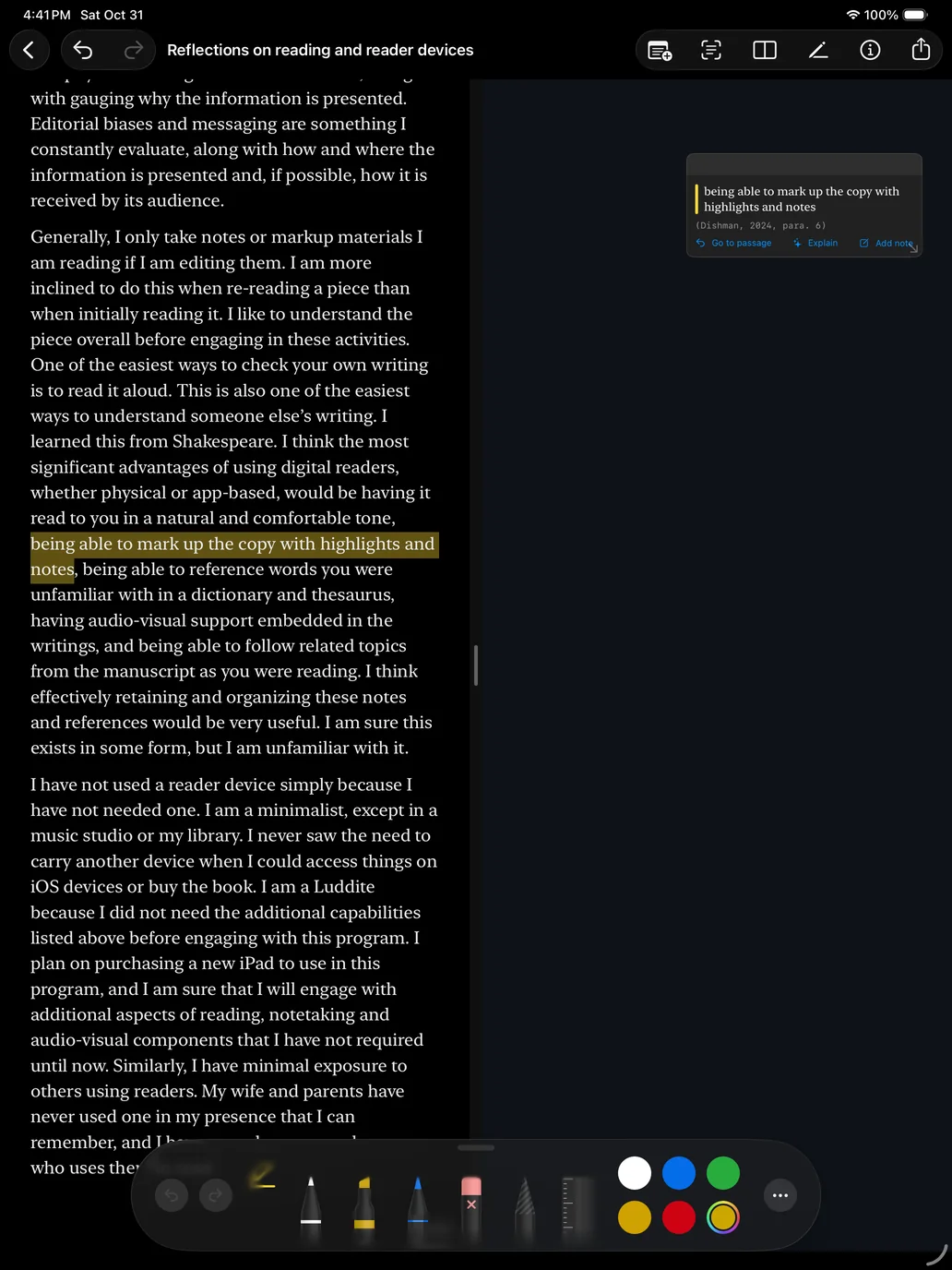
I draw the Pencil across the words I want. Only the words under the stroke are highlighted, and the card appears on the canvas while I am still drawing. If I highlight half a sentence and then finish it, the two strokes join into one highlight with one note.
Cards stack in the order their passages appear in the text until I move one. Each card cites its source in APA 7, MLA 9 or Chicago, with the page number printed in the document. A Markdown or text file has no pages, so its highlights cite the paragraph and the section heading.
Marking up the page
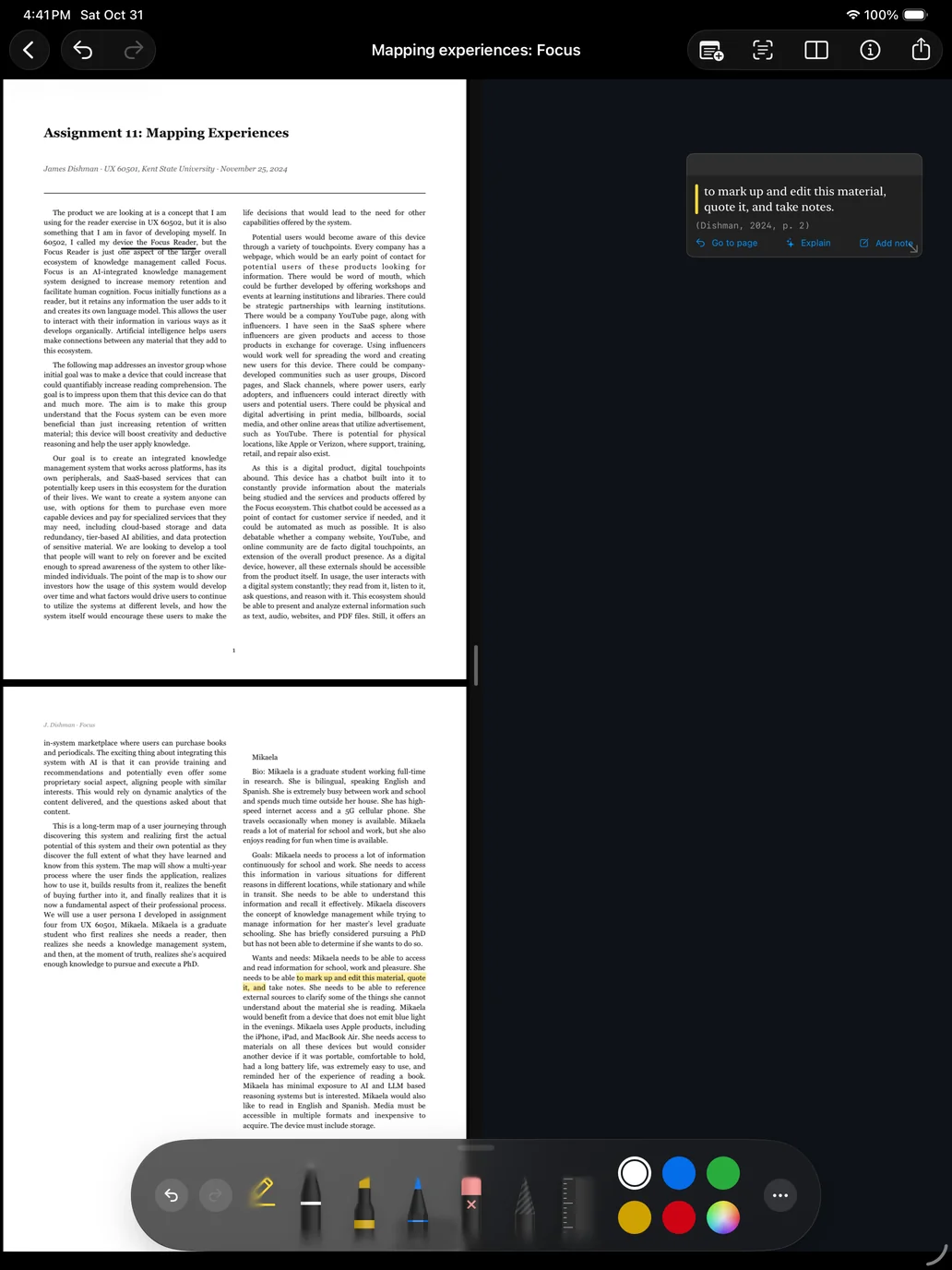
The Pencil tools are Apple's own palette, with my Highlight text tool first, then pen, marker, pencil, eraser, lasso and ruler. Squeeze and double-tap follow the iPad's Pencil settings, and Undo and Redo stay in the toolbar. A marker stroke can also pick up the words under it, so freehand highlighting still makes a card.
Highlights and pen marks are written into the PDF as standard markup, with each note attached as a comment, so Preview and Acrobat show them. When the file came from Google Drive, the marked-up copy is saved back to Drive.
The canvas
The canvas has three layouts: reader and canvas side by side with a handle between them, the document as a card on the canvas, or the reader alone with the canvas one tap away. Cards move by dragging and resize from a corner.
Handwriting on the canvas stays as ink while I write. When I want it as text, I tap Convert and circle it, and it becomes one text card. Dropping one text card on another merges them.
Files and notes
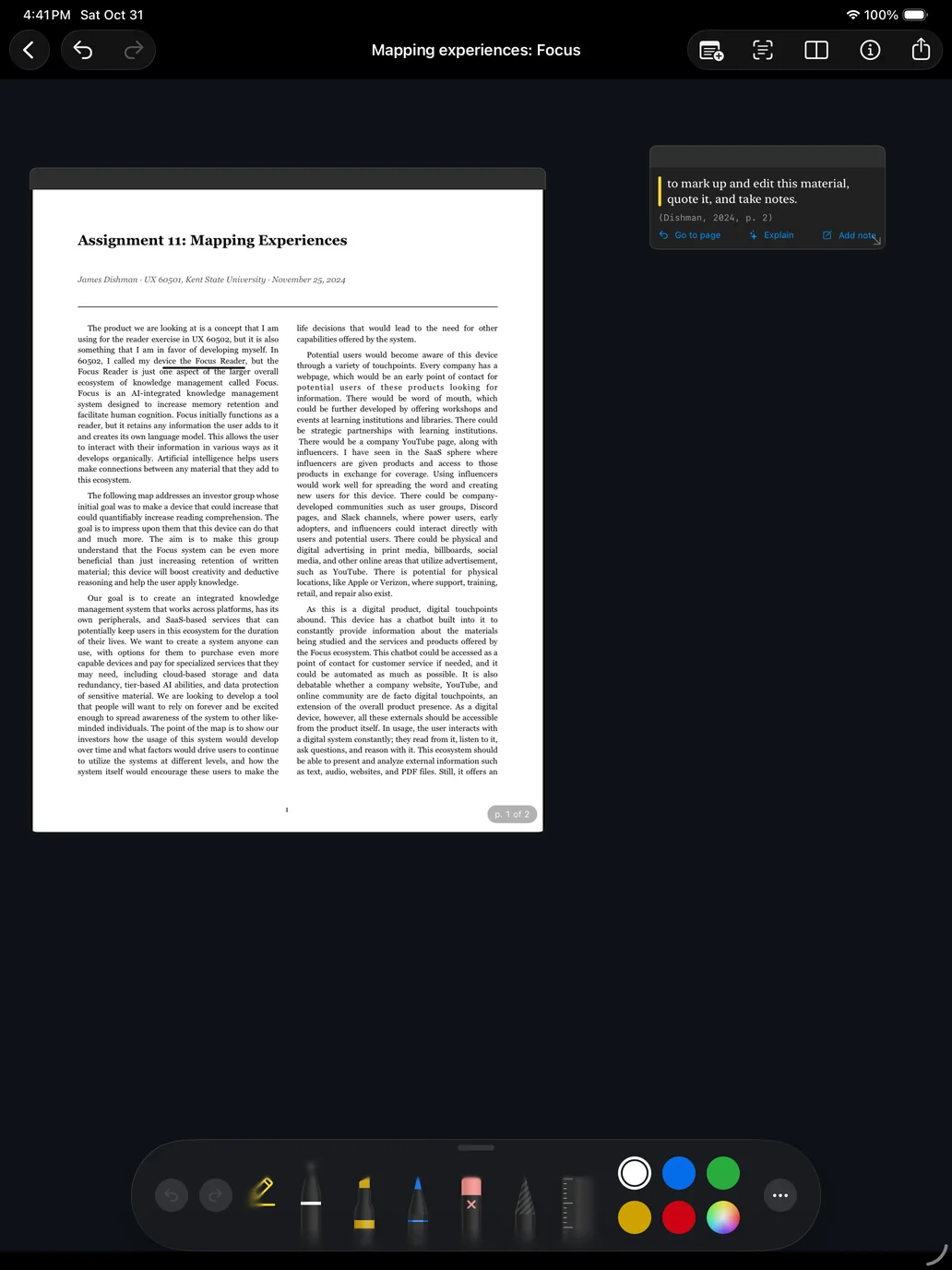
Files come from Google Drive or anywhere else in the Files app: PDF, Markdown and plain text. Markdown shows as formatted text with headings, lists, quotes, code and tables. I can edit text files in the app, and each document reopens where I left off. Highlights save into Markdown as ==marks==, the syntax Obsidian uses.
Export writes one Markdown file per document: every highlight with its note and citation, then the reference.
Apple Intelligence
On iPads that support Apple Intelligence, two features use Apple's on-device model. Explain gives a short reading of a highlight from the text around it. Draft details fills empty citation fields from the first page and keeps only what is printed there, so it can't invent an author or a year. Nothing leaves the iPad, and on other iPads these features don't appear.
What carried over from 2024
The reader lets me scroll or swipe through pages, because in my paper prototype test one person scrolled and the other swiped.
In 2024 I complained that the O'Reilly reader hid page numbers. Here the page number is always on screen.
Press and hold confused my first tester, so every tool opens with a single tap.
Status
I started building Focus Reader on October 31, 2026, and put five builds on my iPad through TestFlight that day. It has 27 unit tests and 9 interface tests. I have not yet tested Explain or saving back to Google Drive on the iPad.
Still to come: EPUB books, web articles, the Focus modes from the 2024 prototype, and links between ideas across documents.
Claude wrote most of the code to my design and drafted this page. I tested every build and reviewed the page.