Learning technology · Concept and paper prototypes · 2024 to now
Focus
In 2024 I designed Focus, an AI-integrated knowledge management system meant to increase memory retention and facilitate human cognition. It starts as a reader. Everything you read and add stays in it, it builds its own model of that material, and AI helps you find the connections between ideas.
I designed and tested Focus in two UX courses at Kent State in fall 2024. Claude drafted this page from those assignments, and I reviewed it.
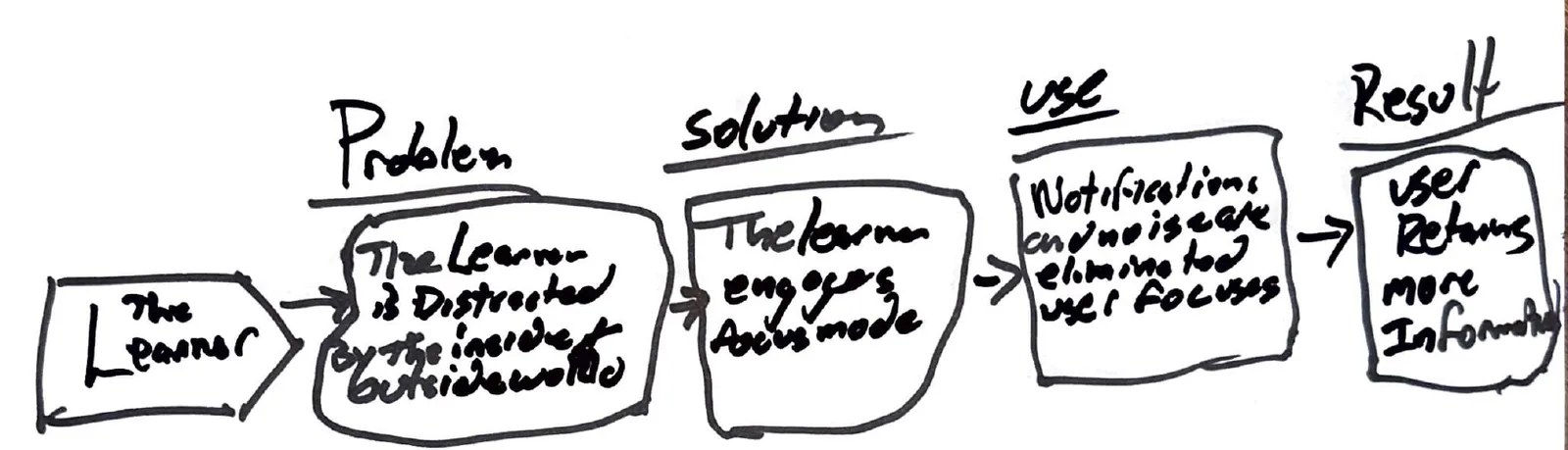
01 · The problem
Reading competes with everything else on the phone.
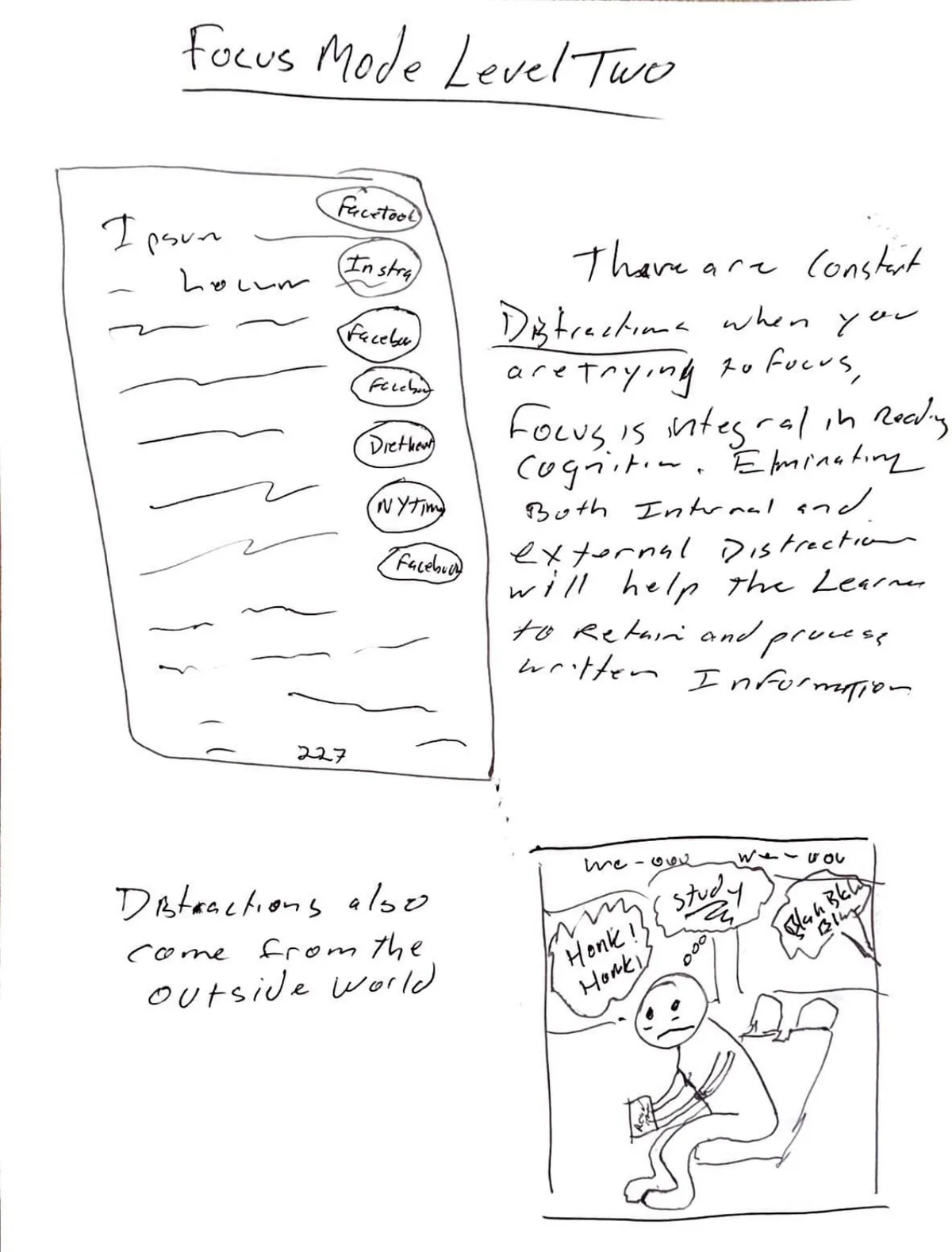
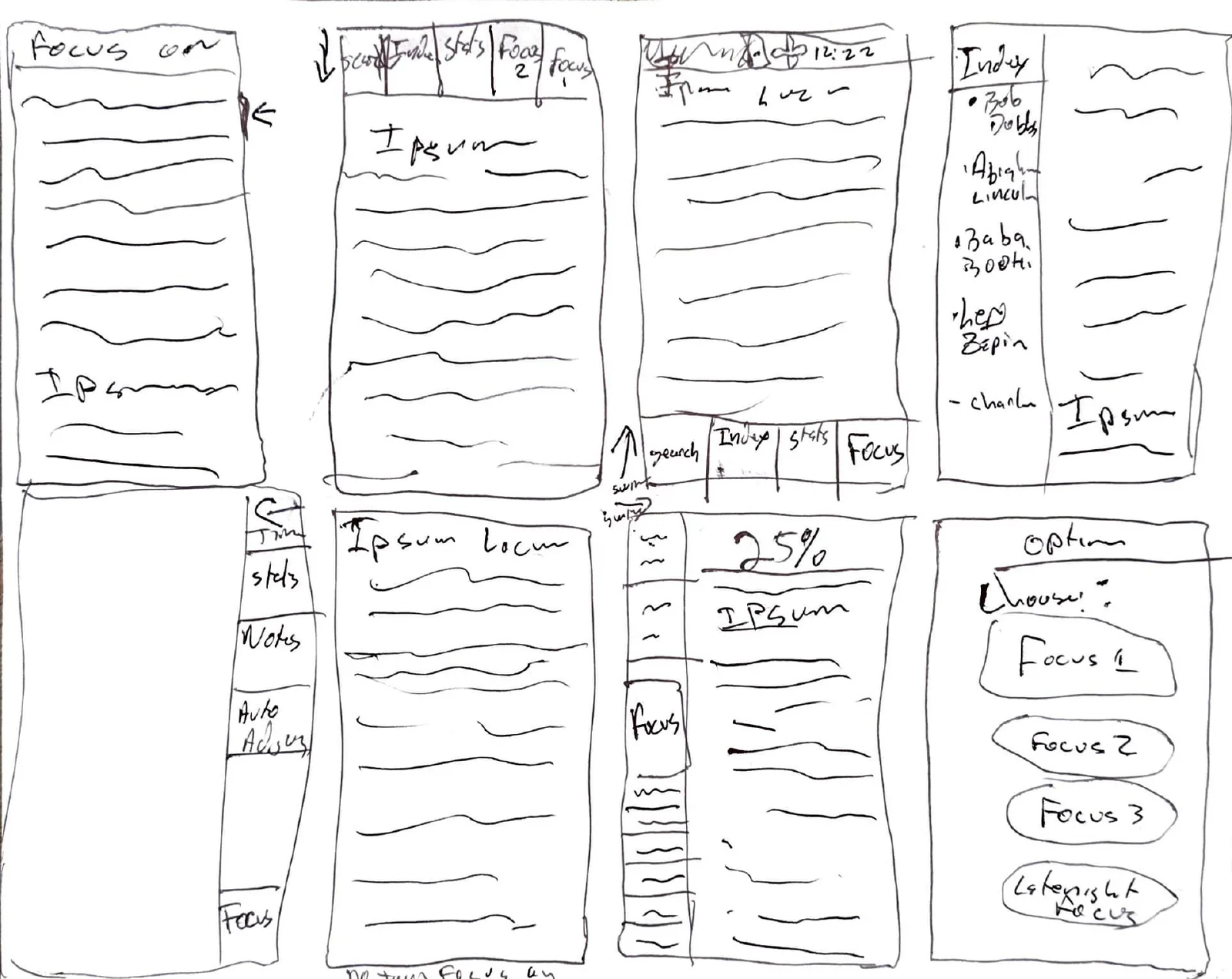
Focus began as an assignment to design a better e-reader. The first thing I drew was the problem. A page of text sits on a phone that never stops asking for attention: banners, sounds, and then the room itself.
I split distraction into two kinds. Focus 1 handles what comes from inside the device and silences other apps. Focus 2 handles what comes from outside, with music, binaural tones, and noise cancellation.
02 · First version
One tap for help, one long press for control.
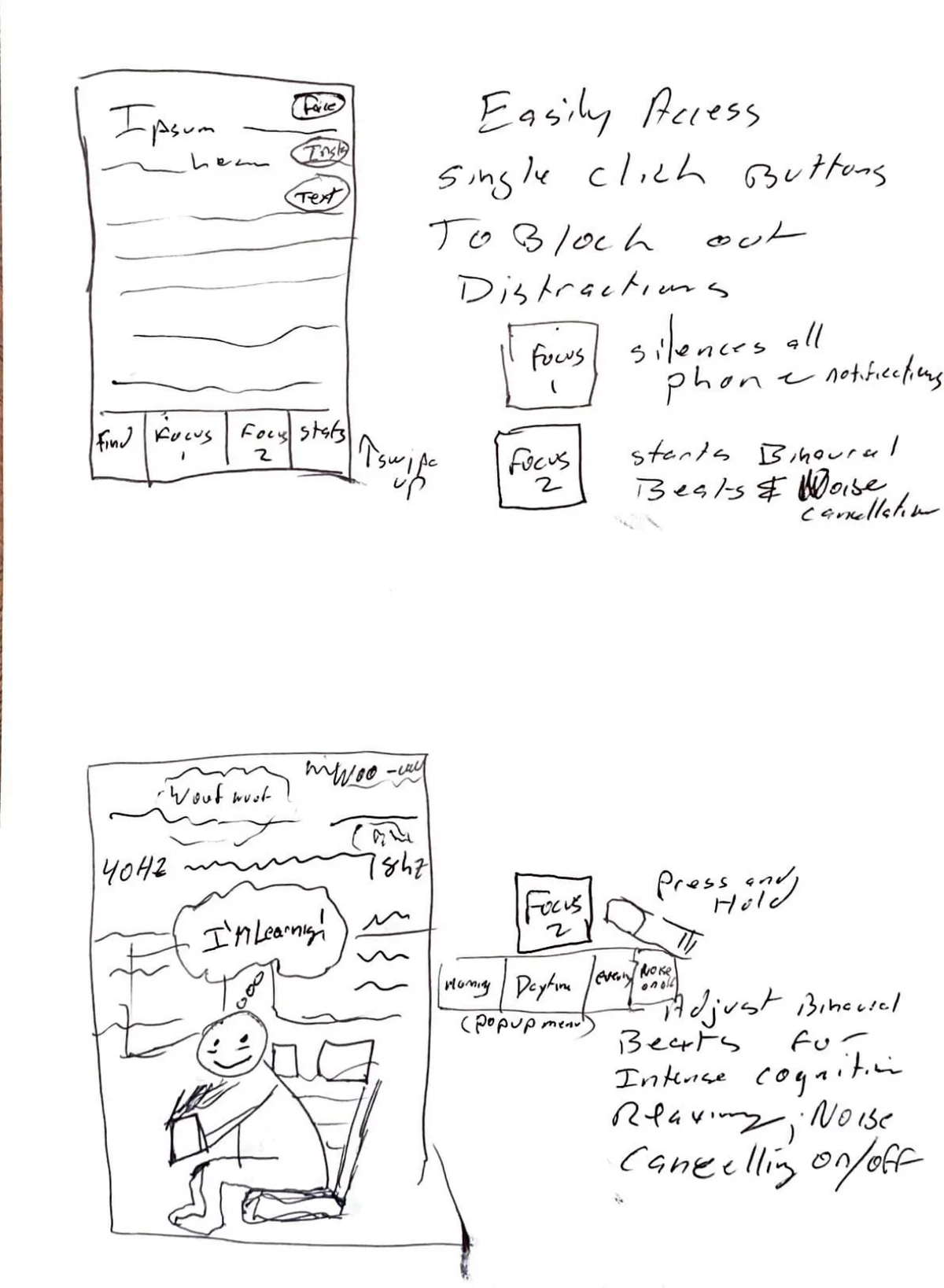
The first prototype gave every reader the same simple entry point. A beginner taps Focus 1 or Focus 2 and keeps reading. Someone who wants more can press and hold to choose the music, the binaural tones, and how much noise cancellation to apply.
That pairing has stayed with me. A tool should give a newcomer a clear way in and give an experienced person exact control, without making either one wade through the other's interface.
03 · Paper prototype, November 2024
22 panels, two people, a 50/50 split.
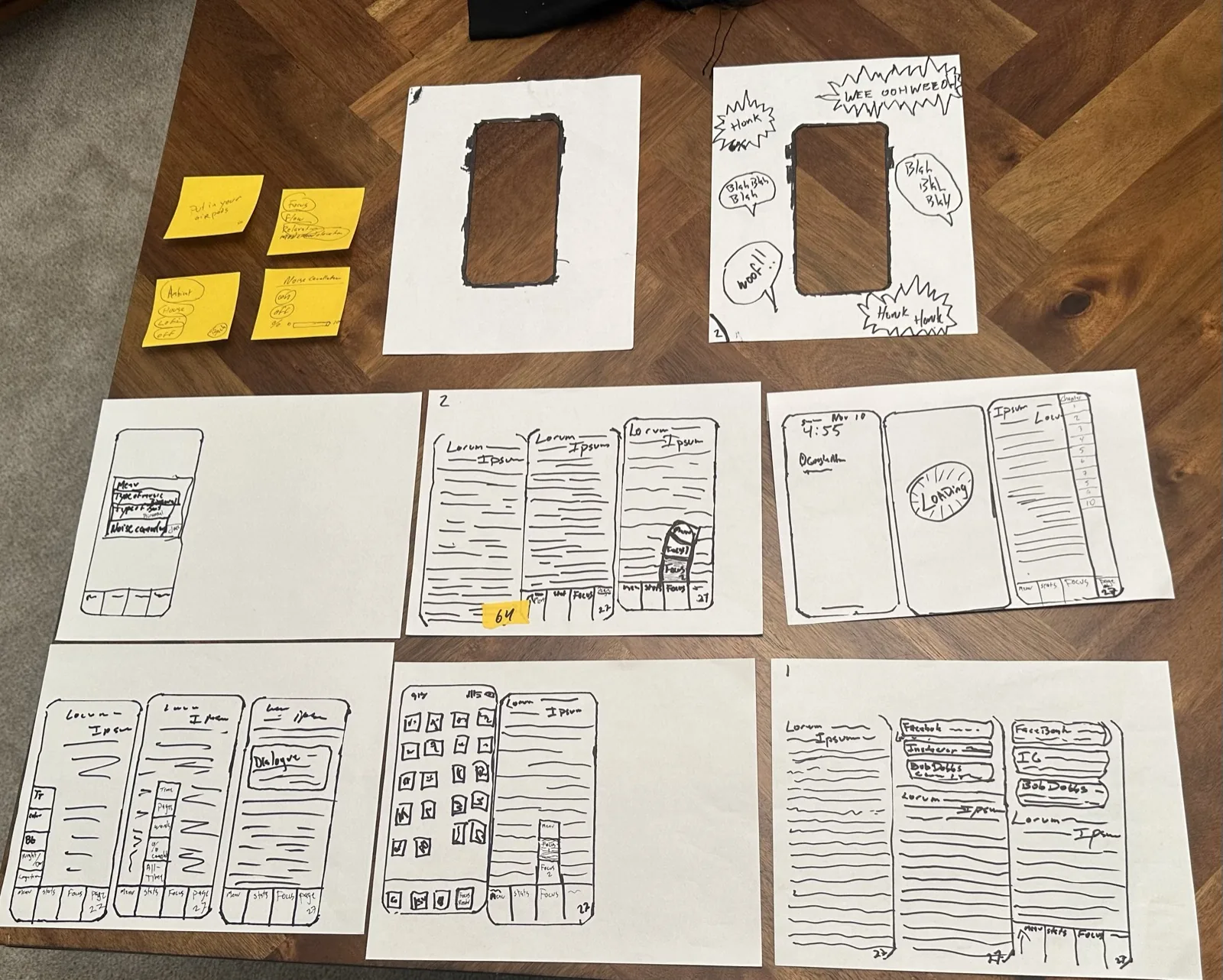
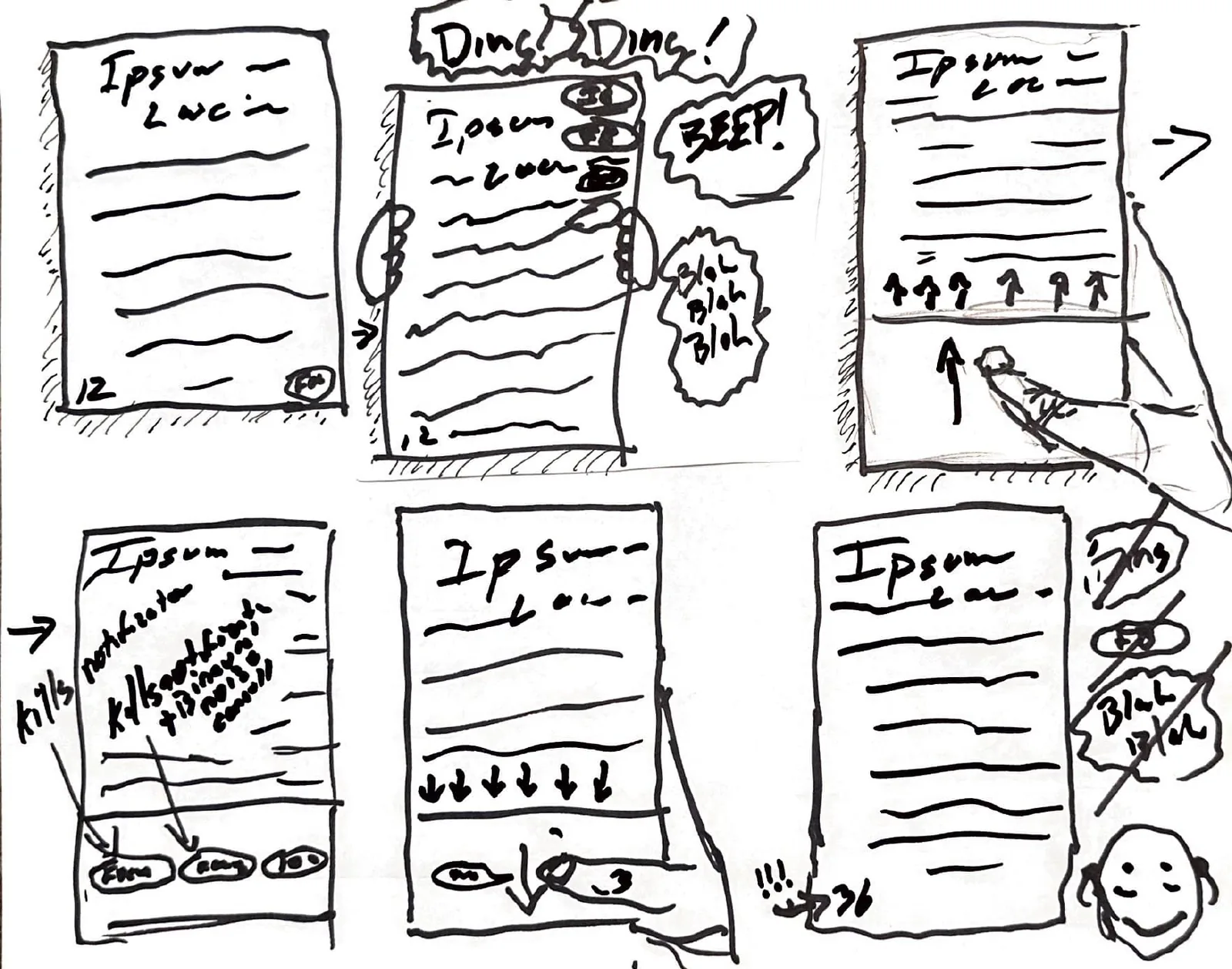
I built an iPhone reader out of paper and tested it with two people. The first scrolled down through pages and never tried to swipe. The second swiped and never tried to scroll. On the most basic action in a reader, my two participants split down the middle.
Press and hold to open the Focus options confused the first participant, so I changed it to a single tap before the second session. The second participant learned the app by tapping everything, which showed me the prototype gave too little feedback when a function started or stopped. I drew a menu panel, a stats panel, and a navigation panel between sessions because I expected her to explore, and she did.
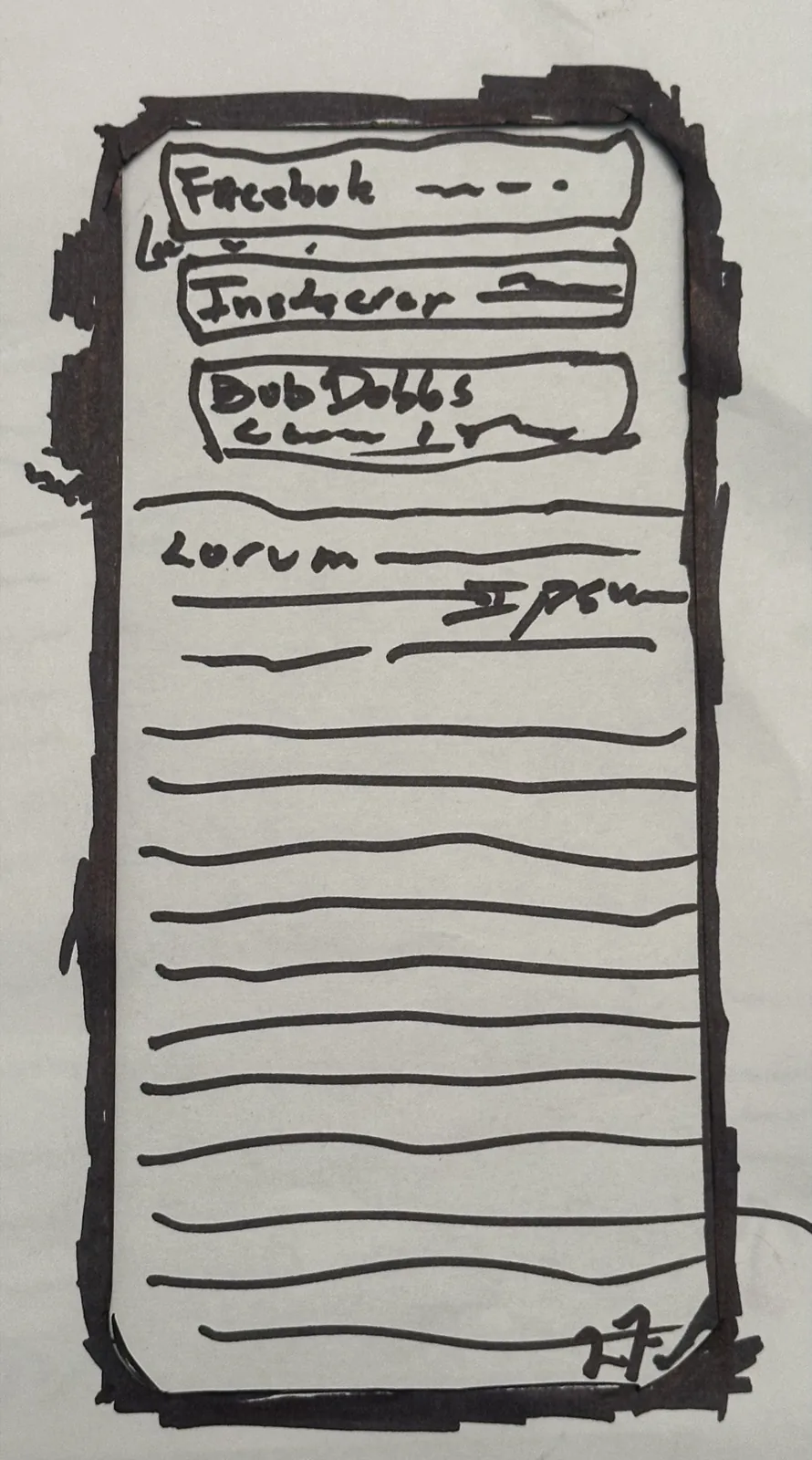
Notifications from other apps pile up over the page. 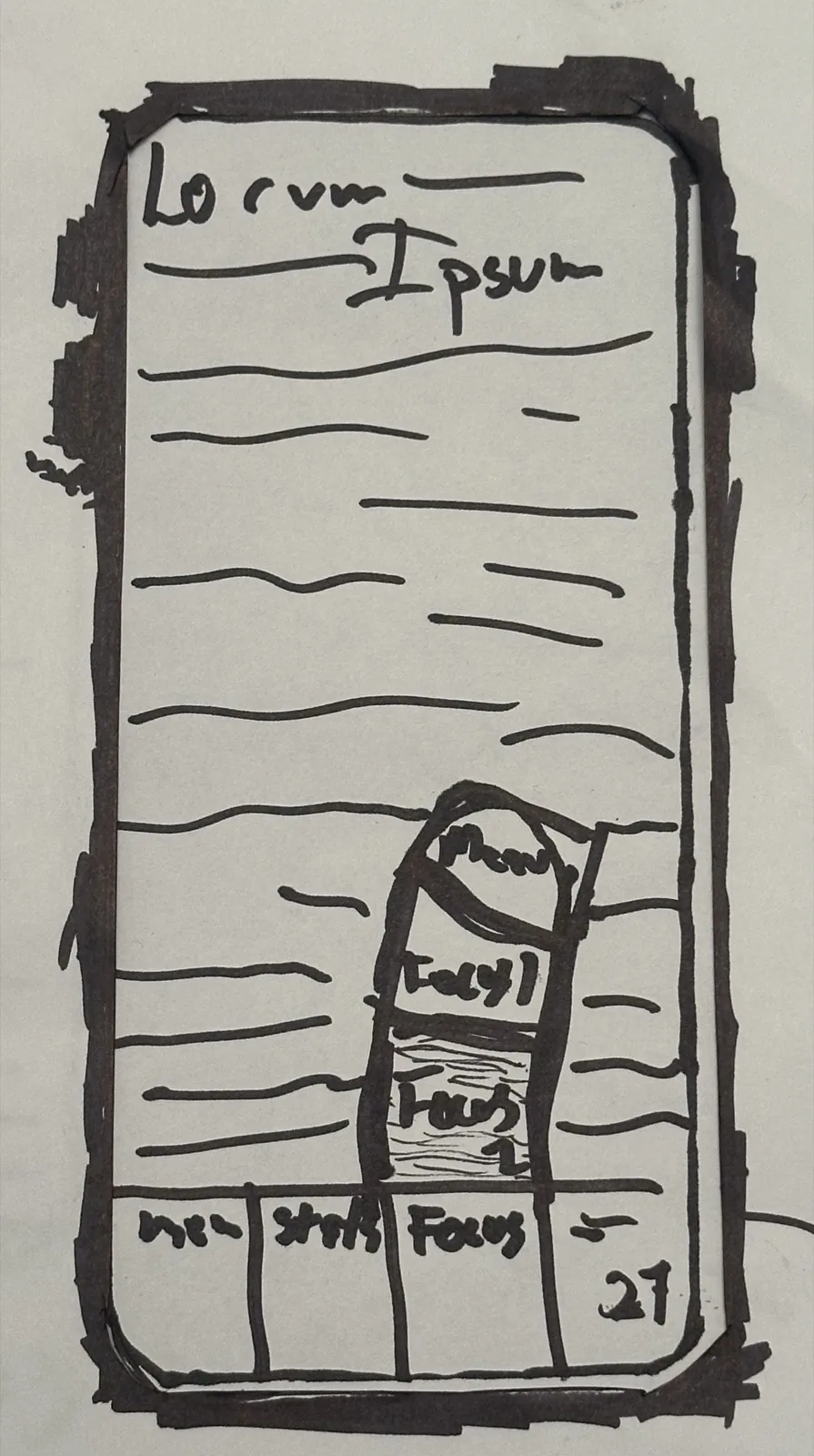
One tap on Focus raises the levels of help. 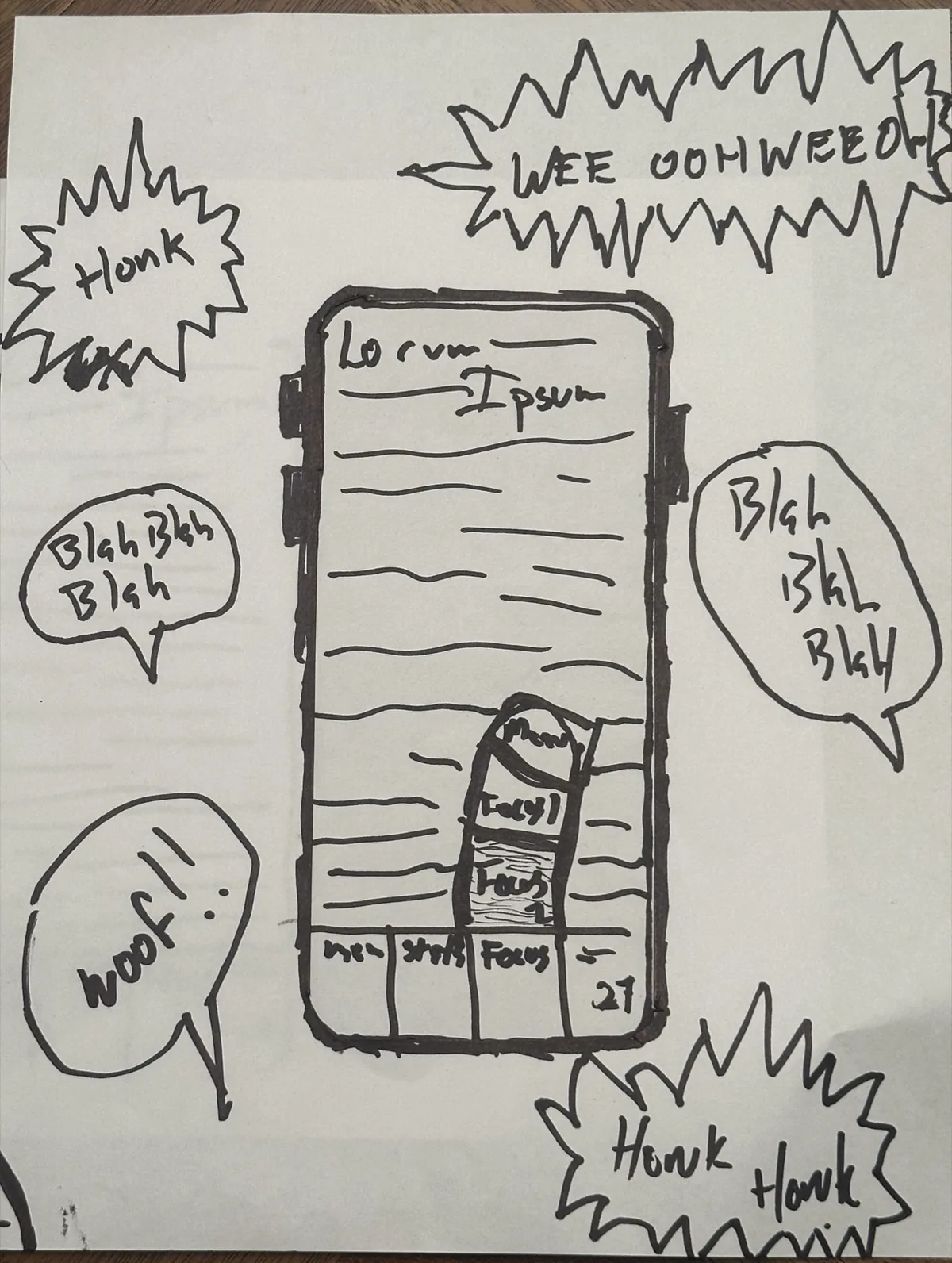
The loud frame stood in for noise in the room. 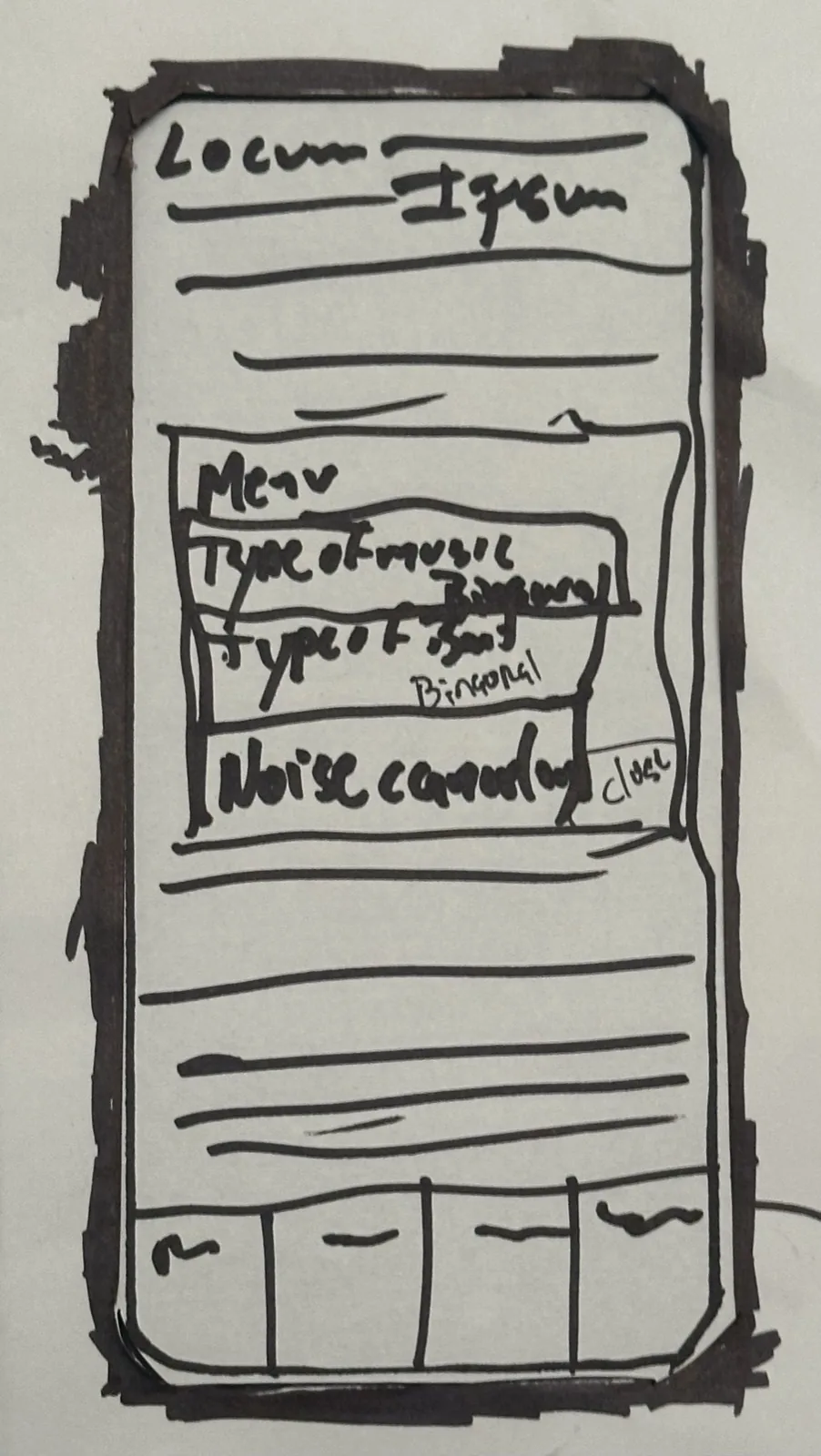
The Focus menu: music, binaural tones, noise cancellation. 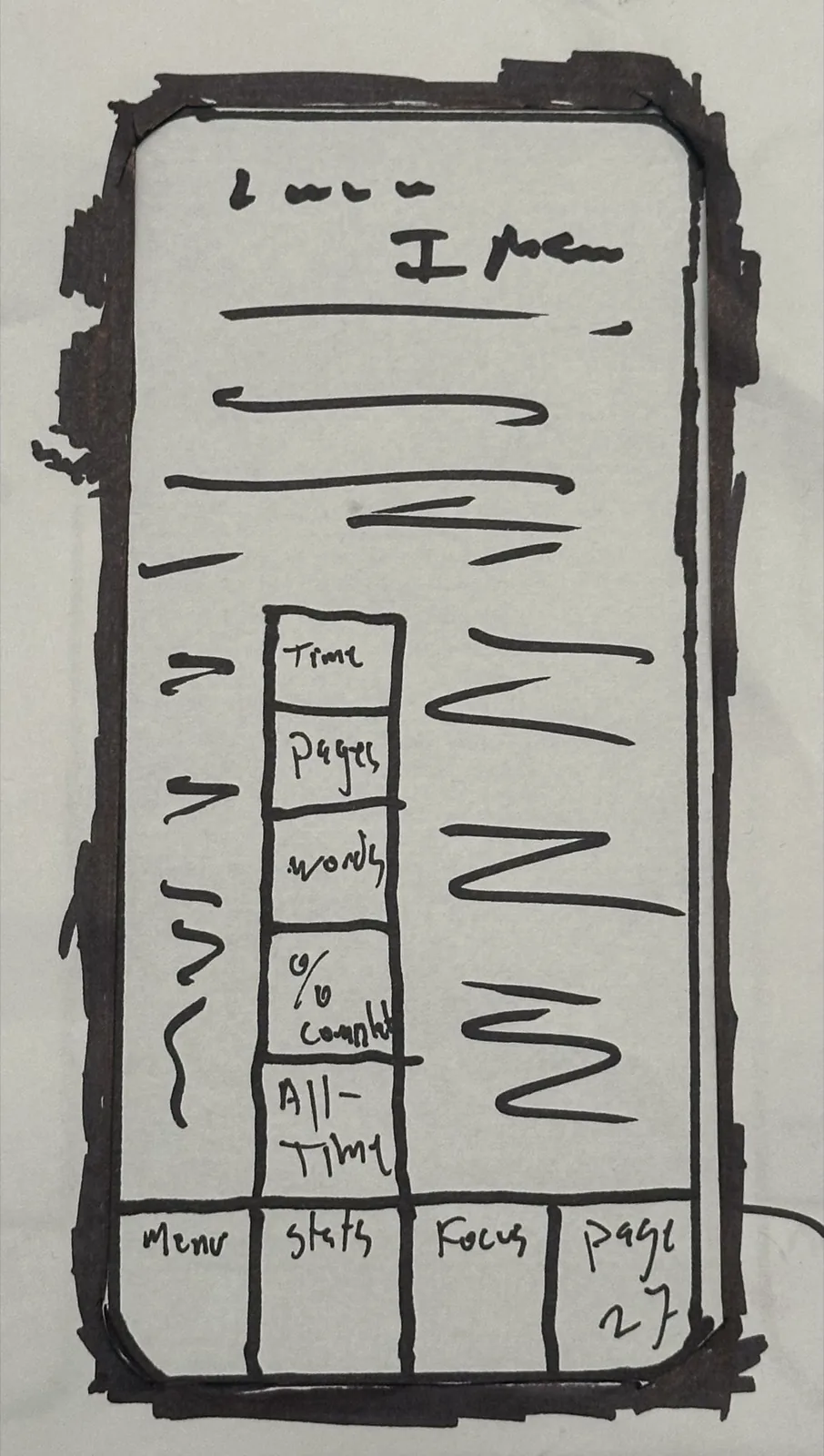
A stats panel showing the reader their own progress.
04 · Mapping years of use
From a reader to a PhD.
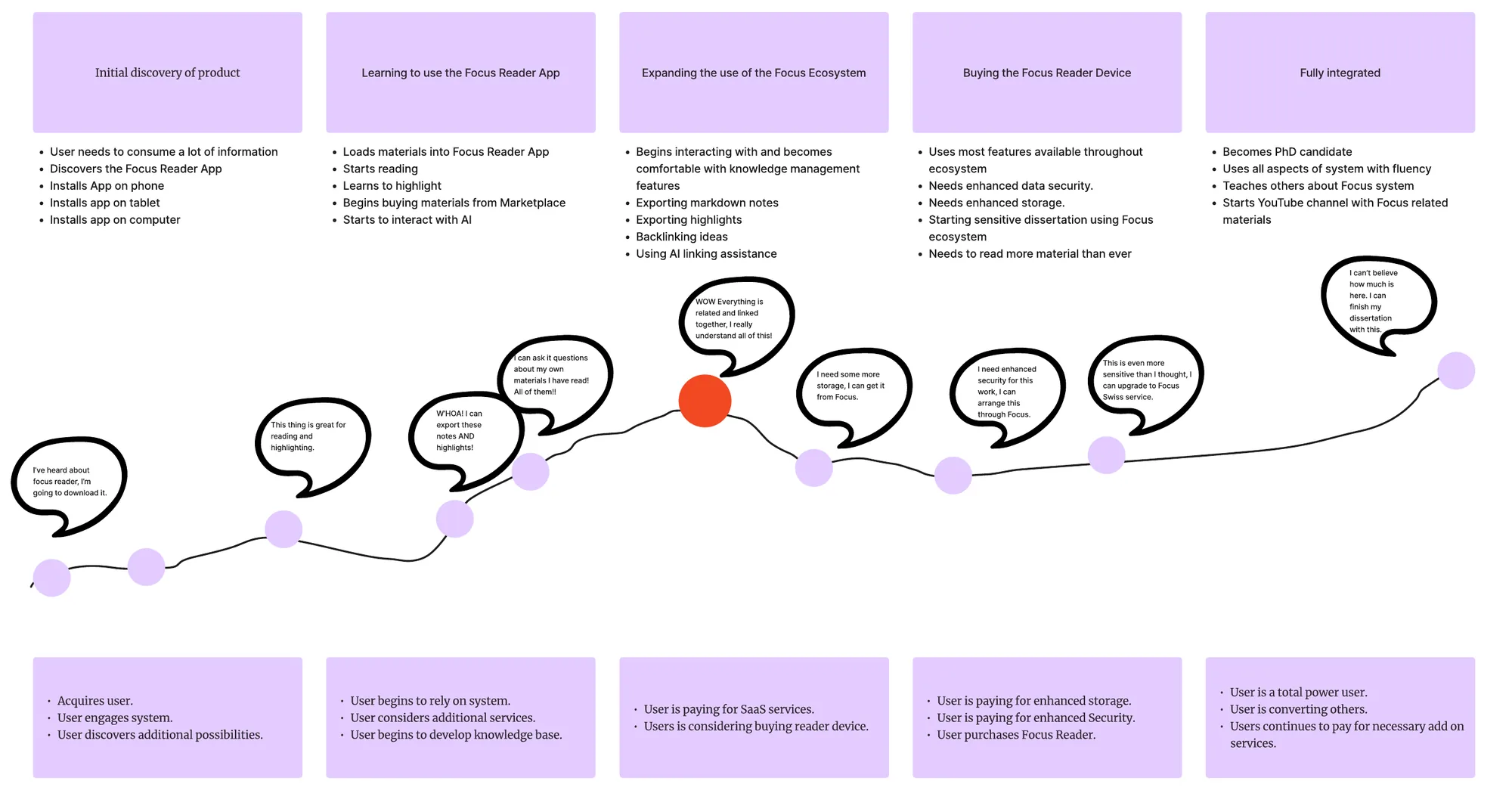
In the second course I mapped how one person would use Focus over several years. The persona was Mikaela, a bilingual graduate student who works full time in research. She starts with the reader app, begins linking her notes, learns she can ask questions of everything she has read, and eventually decides she has built enough knowledge to pursue a PhD.
The map was written for investors whose original brief was a device that could measurably increase reading comprehension. I wanted to show them a system that could do that and keep growing with the person using it.
05 · What happened next
I built the memory first.
I did not build Focus. Over the next two years I built Clarence, the AI system I work with every day. It keeps what I give it, links it, and answers questions about my own material. In practice it is a version of Focus for one user.
What Clarence does not do is the part I care about most now. It remembers what I have read. It does not know what I have learned, and it does not decide what I should learn next.
06 · Where it can go
A system that keeps teaching the person using it.
In fall 2026 I am taking a graduate course on AI in education and human performance. The research there names the parts Focus still needs.
A learner model
The system keeps a running estimate of what the person understands, separate from what they have read. Intelligent tutoring systems work this way, and two meta-analyses, together covering more than 150 comparisons, found they outperform large-group teaching.
Support that fades
Help a beginner needs gets in an expert's way. The one-tap and long-press controls from 2024 were a first attempt at both modes. The system should move between them as the person improves.
Pacing by mastery
The person moves on when they have learned something, at the fastest pace that still works for them.
A model the learner can see
The person should be able to see what the system believes about them and correct it. The stats panel in my paper prototype was an early version of this.
Proof
The investors in my map wanted measured gains in comprehension. Research on personalized learning makes the same demand: it is the benefit most often claimed and least often shown.
07 · Privacy
The vault belongs to the person.
Marketing, ethics, and design often want different things, because people's goals depend on who signs their checks. If no one can get into a person's vault and the technology never harvests information from them, the privacy problem is solved.