KB POMO:
Kettlebells Through the Workday
I am looking for Android testers. Status and support ↓
The idea
A pomodoro timer breaks work into blocks with short breaks. KB POMO fills the breaks with one kettlebell set. Eight sets over eight hours means one set an hour, and the first rings the moment I open the app.
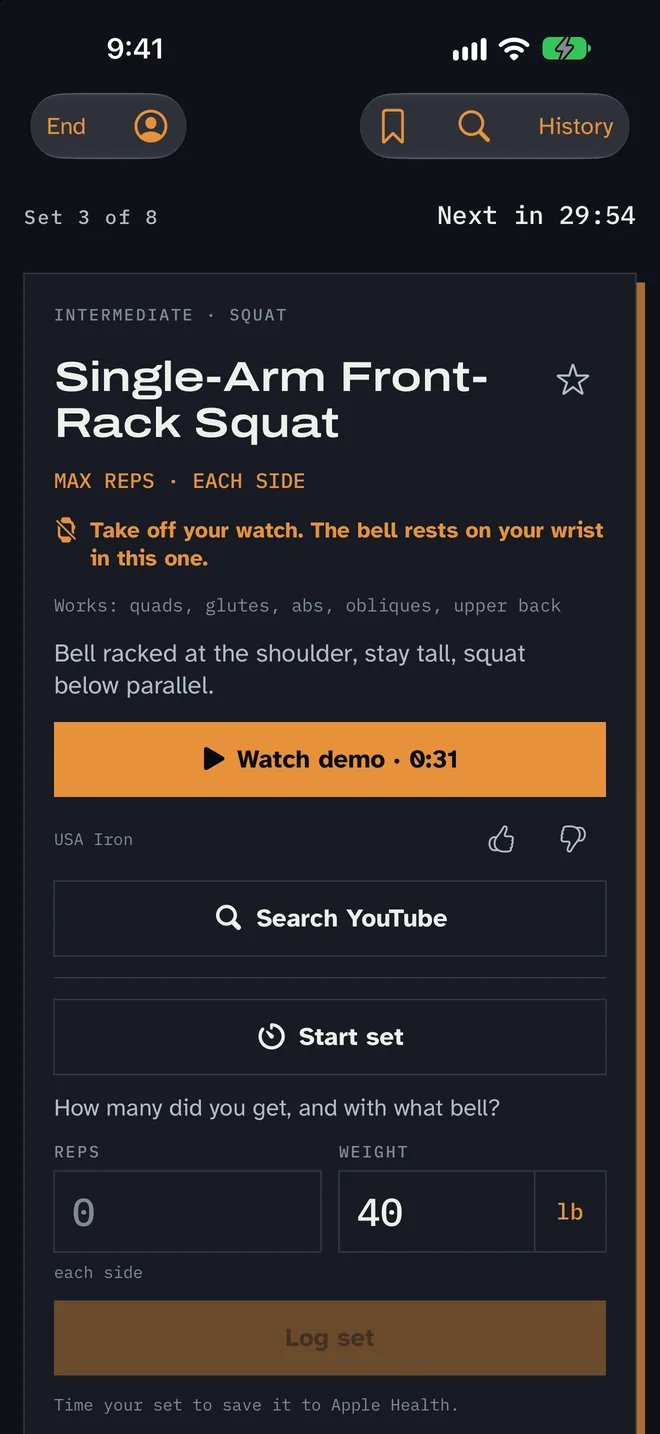
The header says where I am in the day: "Set 3 of 8 · Next in 42:10." Everything else on the screen is the set in front of me.
Setup
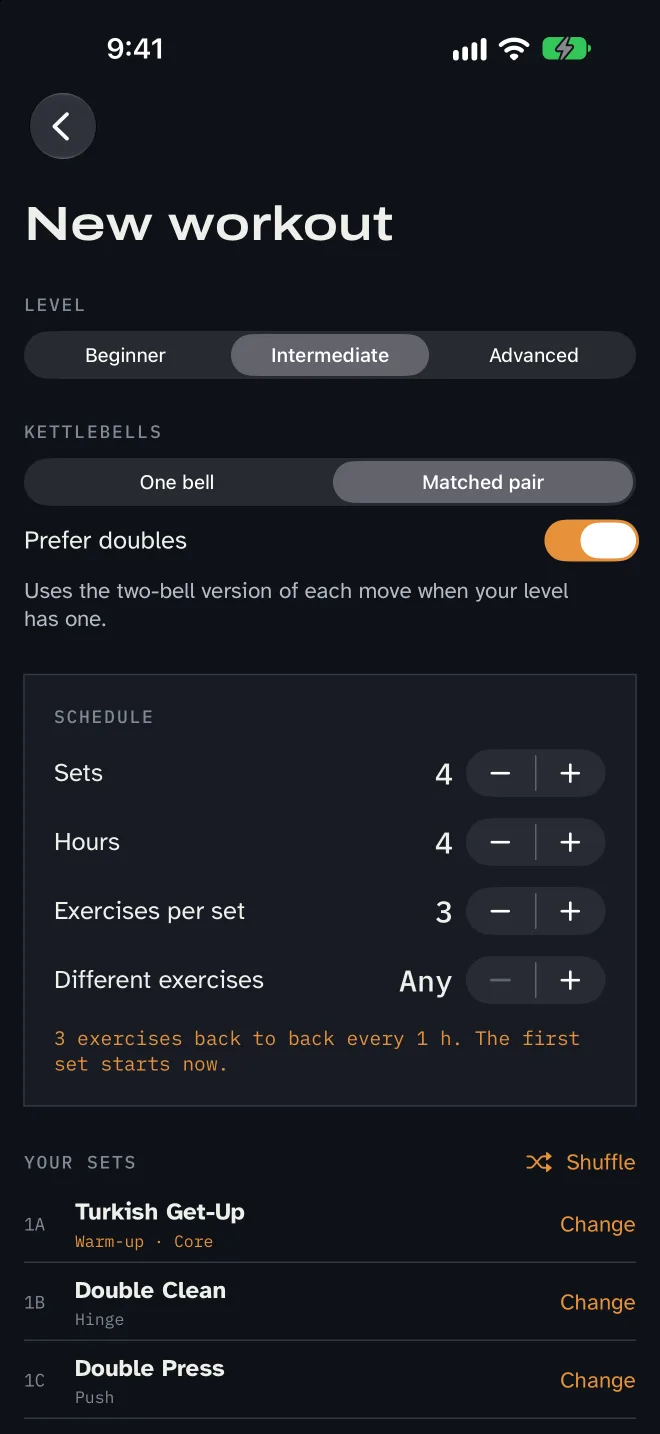
Setup asks five things: level, one bell or a pair, how many sets, over how many hours, and how many exercises in each set. Up to four exercises can run back to back when a set rings. The app then shows the exact exercises it will use. I can change any of them or shuffle the list, and what I see is what starts.
Saved routines keep those choices. A routine can replay the same exercises every time or draw a new mix.
How it picks exercises
The library holds 83 exercises across three levels. Each workout opens with a full-body move as a warm-up, then cycles five movement patterns: hinge, push, squat, pull and core. Within a pattern it picks the move I have used least. Favorites come up about twice as often. Short days of four sets or fewer use only full-body moves.
With a pair of bells, it mixes single- and double-bell exercises, or uses the two-bell version of each move wherever my level has one. Moves I can't do or don't like can be hidden from every workout.
One set
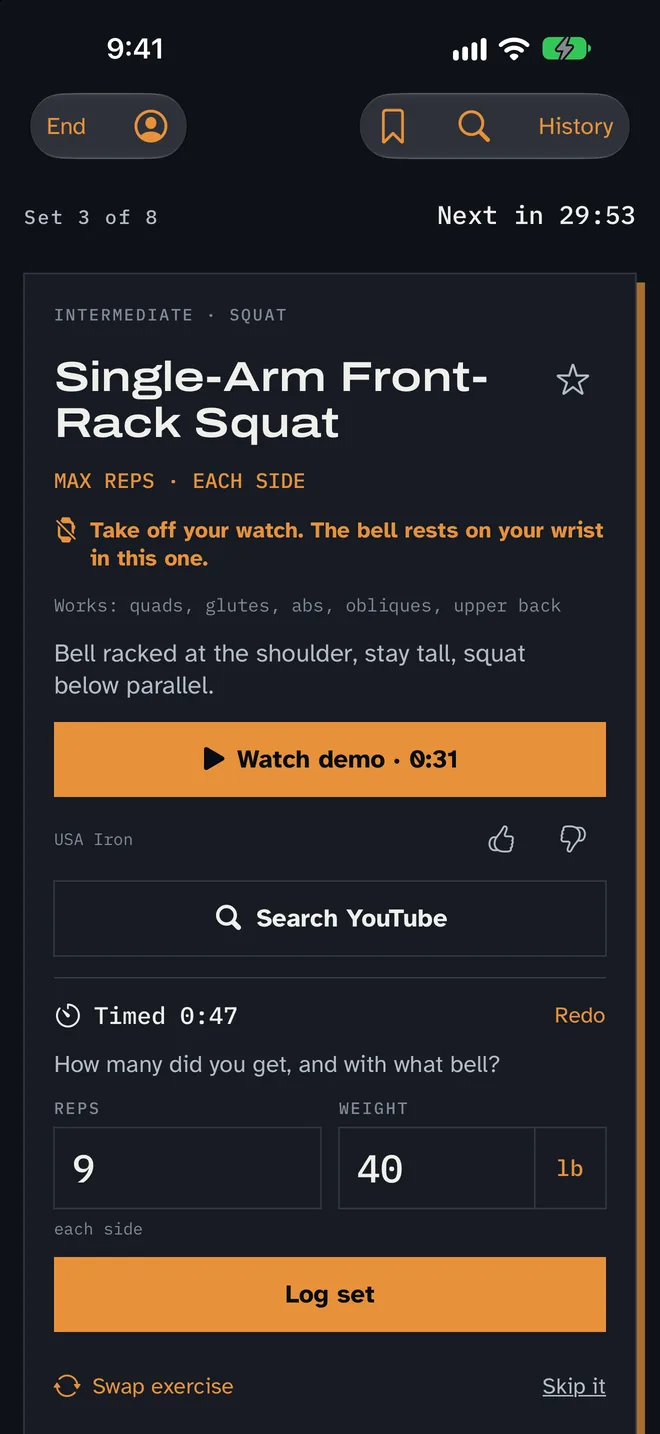
Each card has a demo video under two minutes. Thumbs down on a bad video shows the next of up to three picks, and thumbs up pins a good one.
Logging takes reps (or seconds for a hold) and bell weight, prefilled from last time. A timer runs during the set, and only timed sets go to Apple Health, because Apple rejects estimated workout data. Stopping the timer on a hold fills in the seconds.
If an exercise doesn't suit my space or body, Swap lists moves that work the same pattern.
Finding an exercise
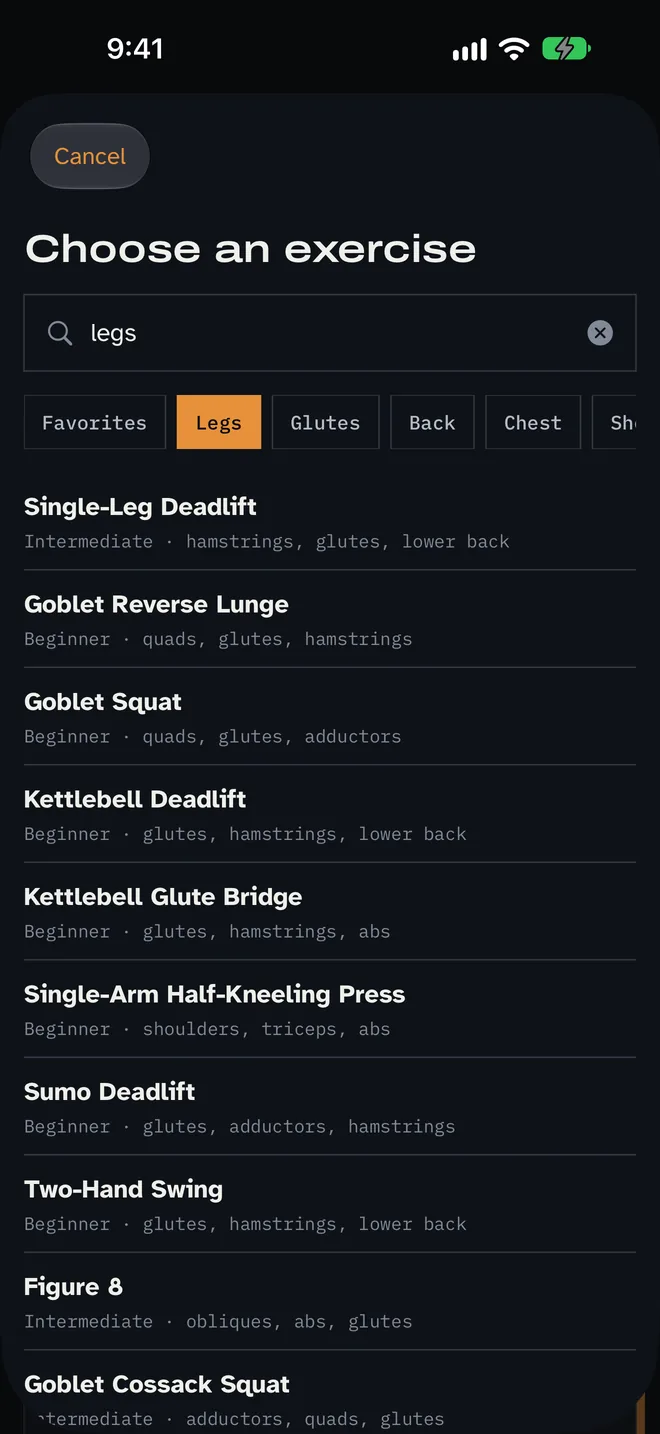
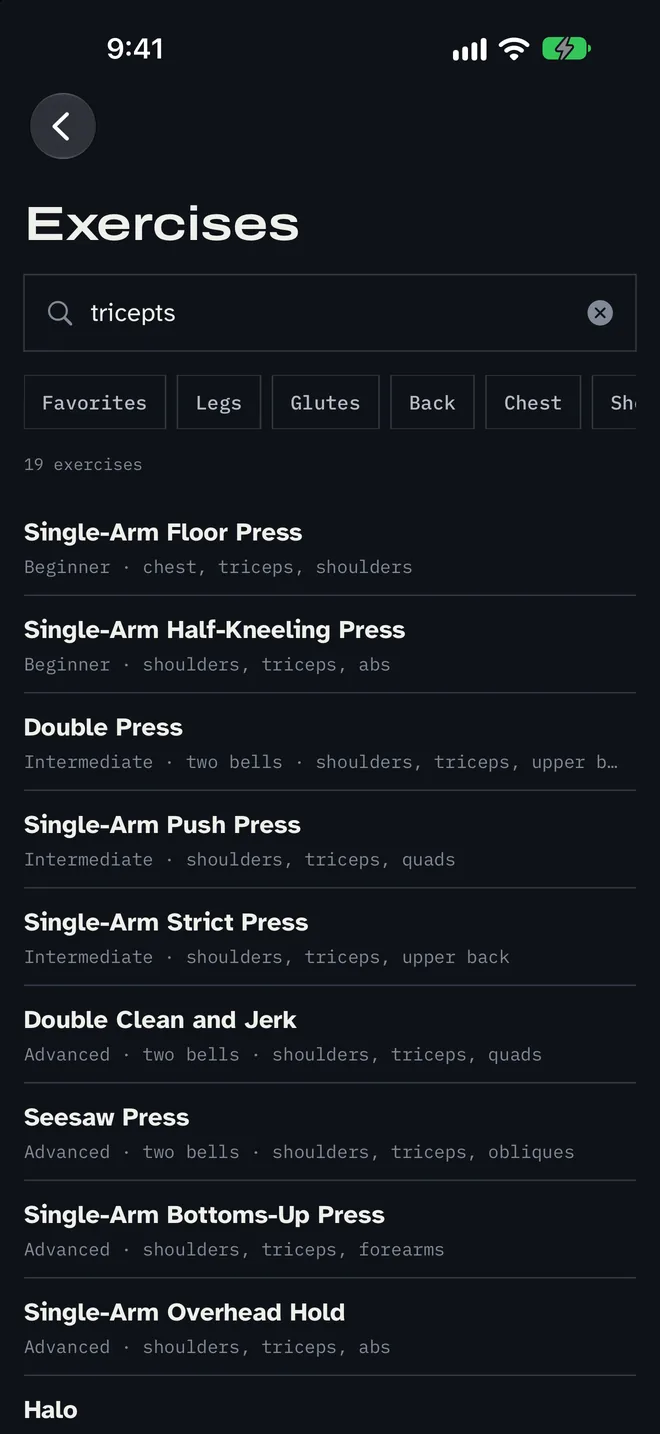
Search matches names, muscles, body regions, gym slang like "tris" and "delts," and typos like "tricepts." Any exercise can be logged as a one-off set.
Alarms, lock screen and watch
A reminder I can ignore doesn't work. Sets ring like an alarm through Apple's AlarmKit, with an Open button that jumps to the set. The lock screen shows the next exercise with a countdown. Home and lock screen widgets show the next set and the day's totals.
The watch app shows the current set, logs reps with the Digital Crown, and warns a minute early when the exercise needs the watch off, such as overhead presses and floor presses.
History
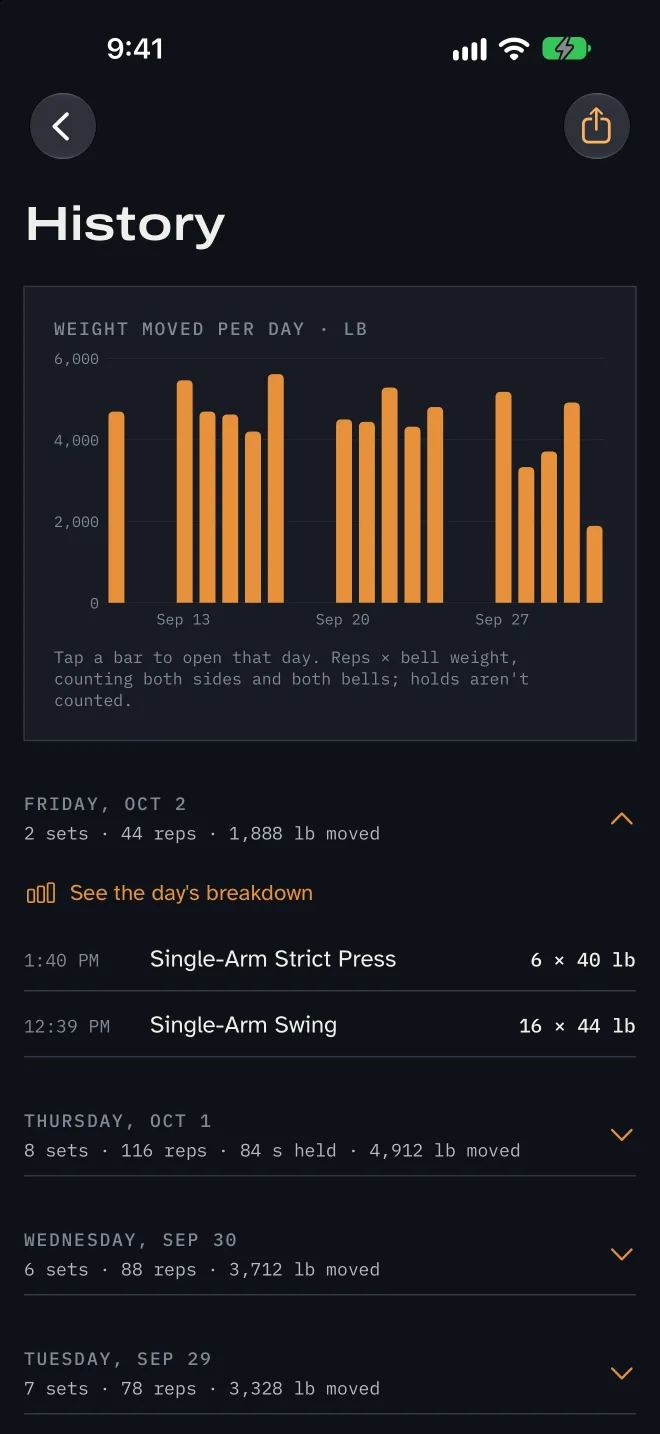
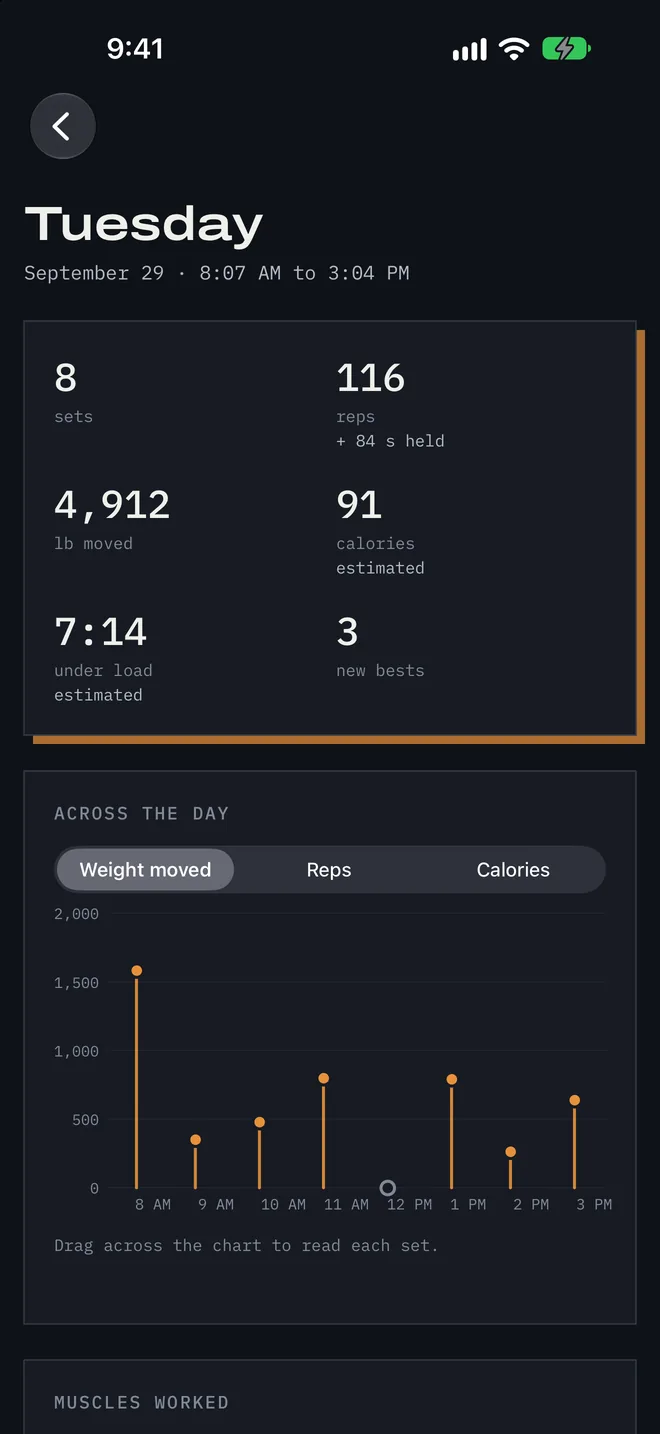
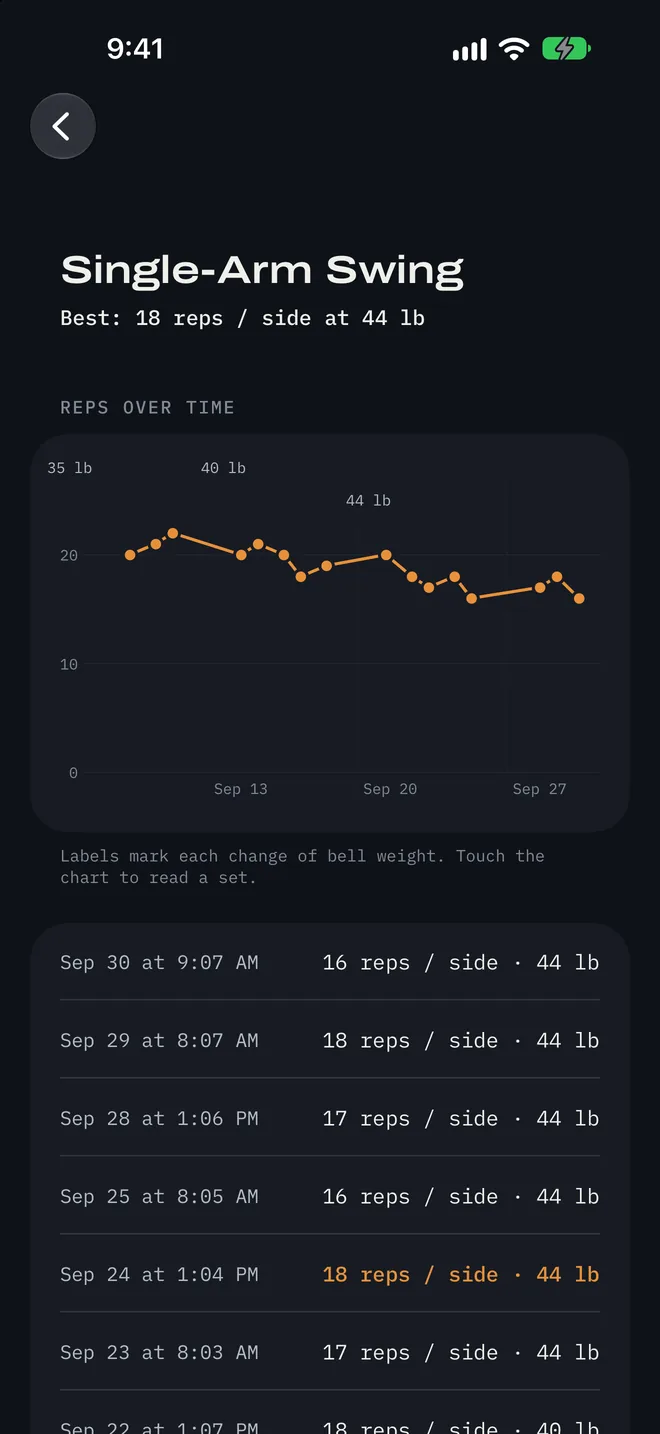
History folds each day to one line of totals, and a tap opens its sets. A chart shows the weight I moved each day: reps × bell weight × sides × bells. Each day's breakdown has a stat grid, a timeline I can scrub, and bars by body region that filter the page. Tapping any set opens that exercise's progress chart, with the bell weight marked wherever it changed.
Export saves every set to a spreadsheet, and Apple Health gets one strength workout per day built from the timed sets.
Privacy
Data stays on the phone and watch. There is no account and no server. Privacy policy.
Status
KB POMO 1.0 came out on the App Store on October 11, 2026. It is free, with an optional tip jar. The iPhone app is built in SwiftUI and has 50 automated tests.
I ported it to Android in Kotlin and Jetpack Compose, and both versions share one exercise library. The Android version rings alarms and shows a countdown notification, but it doesn't have health sync, widgets or a watch app yet. It is not on Google Play. I am working on getting Android testing started. If you have an Android phone and want to try it, send me a note.